
SLOTHMOD
Turn plain English — or six $0 visual studios — into real Java Edition Minecraft mods.
 Watch Software Trailer
Windows shows a blue "Protected your PC" screen? Click More info → Run anyway (why?)
Click mobs or the Dragon to strike · Click the Sloth / Anvil for a forge burst · Click slots 1–8 to mod the game live.
Watch SlothMod Build a Mod
Start from one sentence or open a visual studio offline. Every texture, 3D model, sound, recipe and rule stays editable by hand before you play.
 Click to Zoom
Launch straight into six $0 offline visual studios or describe any mod idea in plain English.
- Describe or Open a $0 StudioType your idea in plain English, or jump straight into six offline visual studios with zero API key.
- Sculpt, Paint & Wire VisuallyPick from 3 art variants, sculpt 3D boxes, paint textures, and edit rules, brains or worlds by hand.
- One-Click Play in MinecraftSlothMod builds your mod, repairs errors, and launches Minecraft. Keep, undo, or share your
.jar.
Six Visual Studios Built In
Every studio runs 100% offline at $0 AI cost — and pairs seamlessly with AI whenever you want a head start. Click any tab or zoom any screenshot.
 World Sculptor · Click to Zoom
World Sculptor
- Fly over stepped 3D voxel worlds at 1:1 block zoom with seafloor depth and shadows.
- Sculpt mountains, lakes, 8 surface types and trees live across 3D & 2D with full Undo/Redo.
- Open .mca Minecraft saves to drag-move, rotate 90°, copy, bulldoze or extract buildings.
Real Mods, Played in Minecraft
Every picture below is a real in-game screenshot from mods built with SlothMod — rideable dragons, articulated wings, fairies, and custom Blueprint rules.

Real Minecraft screenshots from four sides — drag sideways or use arrow keys to turn.
-

Five custom dragons, five looks Zoom + -
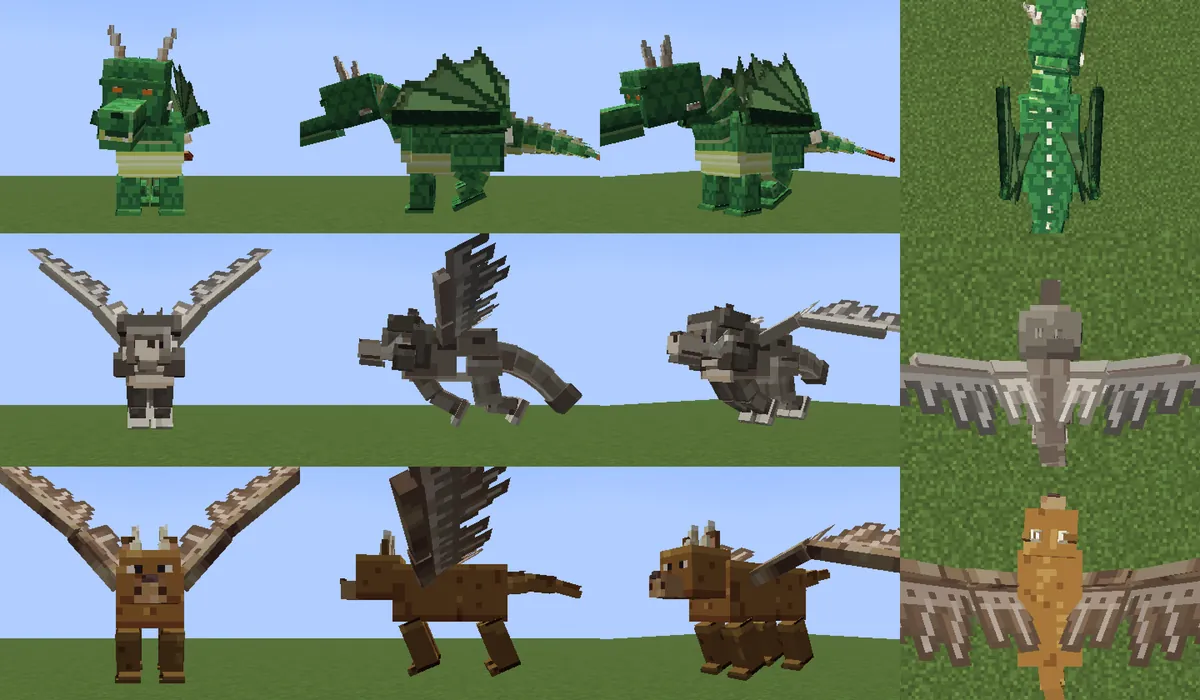
Leathery & feathered wings: drake, wolf & stag Zoom + -
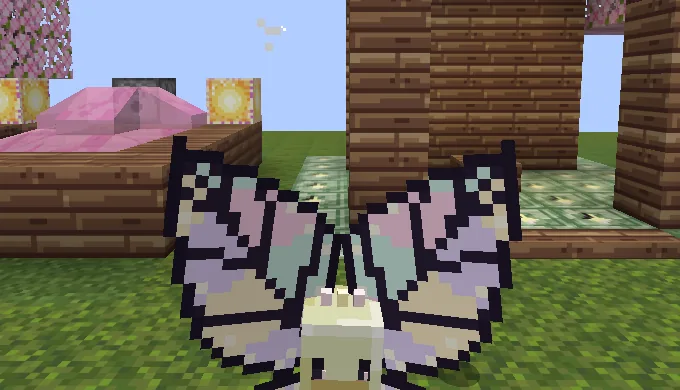
Stained-glass butterfly fairy in-game Zoom + -
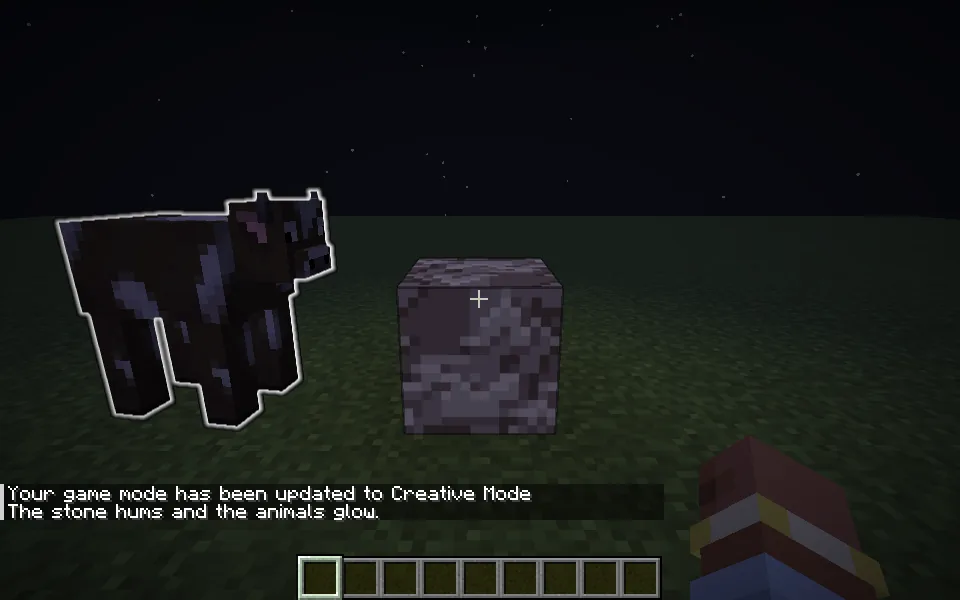
Visual Blueprint rule: humming stone glows mobs Zoom +
Original Pixel Art & Synthesized Sounds
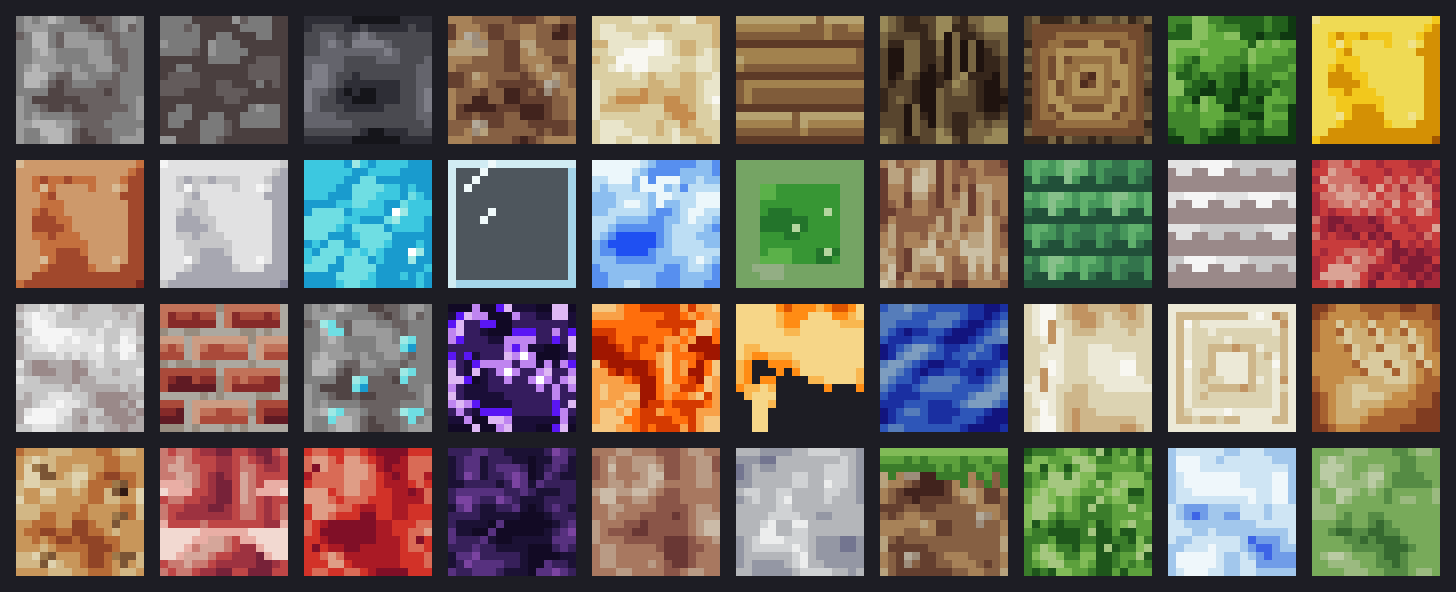
Every texture, 3D dropped-item model and sound effect below is generated natively by SlothMod — zero game assets copied, zero image generators required.
Interactive 3D Pixel Art
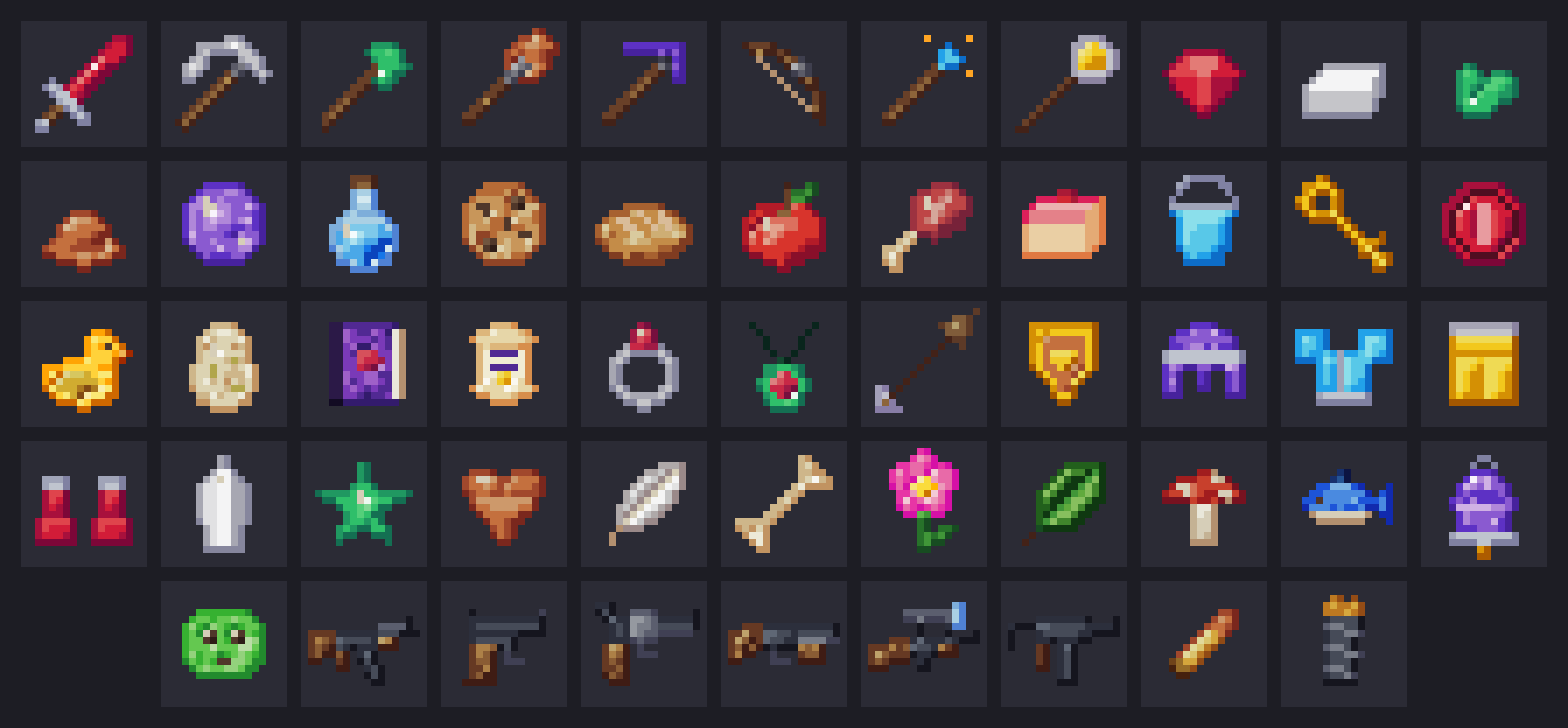
Every 16×16 texture turns into a crisp voxel model just like a dropped Minecraft item. Drag to spin, click or press Enter for the next piece, or use ← → keys.
Inside SlothMod, the Art Picker offers multiple styles of every piece — and you can repaint any pixel live in 3D.
614 Synthesized Sounds + Music
Click to preview real sounds generated inside SlothMod (plus seamless area & boss music loops and playable 24-note instruments):
 Squeak
Open Full Engine Art Vault — 70+ Item Shapes & 40 Block Textures
Built for Players, Safe on Your PC
Everything you need to create, test and share mods — running locally on Windows with zero accounts, zero subscriptions, and full ownership of your creations.

Creatures, Dragons & Bosses
Rideable 8-element dragons, breakable-limb bosses, Capture Orbs, genetics and keyframe-animated mobs.

Weapons, Armor & 3D Paint
3D sculpted blades, guns, spell wheels, parry/grapple/wall-run combat and live 3D texture painting.

Quests, Realms & Campaigns
Custom biomes, standing portals, multi-room dungeons, NPC dialogue cutscenes, moving ships and boss music.

Any AI — or $0 Local & Offline
Create visually offline for $0, or plug in cloud AIs, free tiers, LM Studio or Ollama with spending caps.

Safe Backups & Crash Repair
Sandbox builds, pre-build safety scans, full version history, one-click Undo and plain-English crash help.

100% Yours to Publish
Real
.jarmods with player guides and banner cards — free to share or monetize on Modrinth & CurseForge.
| Minecraft | Fabric | NeoForge | Forge | Notes |
|---|---|---|---|---|
| 26.3 | Flagship | Flagship | — | Every new studio, dragon camera & world tool ships here first. |
| 1.21.1 | Yes | Yes | — | Supported with batch updates & plain notes. |
| 1.20.1 | Yes | — | Yes | Supported with batch updates & plain notes. |
Needs ~4 GB free disk space and a Minecraft Java Edition account to play. Installs per-user with no admin prompt and brings its own Java & build tools. Existing 26.1 / 26.2 projects move to 26.3 in one click.
Privacy & Safety Promise
SlothMod runs 100% locally on your Windows PC with no accounts, no cookies and no analytics.
- API keys stay inside Windows Credential Manager.
- Microsoft login stays in the official Minecraft launcher.
- AI-written code is scanned before every build.
- Mods you create are yours under SlothMod Free Use Terms.
Support SlothMod
SlothMod is free for everyone. Optional tips help keep development moving — zero external scripts loaded here.
Buy Me a Coffee Scan with phone
Quick Answers
Is SlothMod really free — and do I own the mods I make?
Yes. SlothMod is free to download and use, and every mod you build belongs to you. Share, publish, or monetize your mods freely on Modrinth or CurseForge under the SlothMod Free Use Terms.
Do I need to know how to code or pay for AI?
No. All six visual studios (World Sculptor, Build Studio, Whole-Game Studio, Brain & Colonies, 3D Sculpt/Paint/FX, and Visual Blueprints) work 100% offline at $0 AI cost. If you want AI help, you can use free tiers, local models via LM Studio / Ollama, or your own API key with spending caps — and coders can open the built-in Java editor anytime.
Why does Windows show a blue SmartScreen warning?
Because SlothMod is free and not paid-signed yet, Windows SmartScreen can show "Windows protected your PC" on first download. Click More info, then Run anyway. Only run installers downloaded directly from slothmod.com or GitHub Releases.
How does SlothMod keep my PC and worlds safe?
AI changes happen in a sandbox copy with version History and one-click Undo, and AI-written code is scanned before every build. Imported .mca worlds are never overwritten in place — SlothMod always exports a clean copy.
Which Minecraft versions and mod loaders are supported?
Minecraft 26.3 (Fabric & NeoForge, flagship), 1.21.1 (Fabric & NeoForge), and 1.20.1 (Fabric & Forge). Existing 26.1 and 26.2 projects upgrade to 26.3 in one click.
What about privacy, accounts, and my API keys?
No accounts, no cookies and no tracking. API keys are stored in Windows Credential Manager, your Microsoft account stays in the official Minecraft launcher, and prompts go only to the AI provider you pick.
Does it work on Mac or Linux, or how do I report a bug?
SlothMod currently runs on 64-bit Windows 10 and 11. If anything goes wrong, click Report a problem inside the app (keys and PC usernames are stripped automatically) or open an issue on GitHub.
